VidTrendVidTrend

Fancy Cafe AI Video Generator

Make a viral fancy cafe AI meme video from two photos with character replacement and original audio.

Motion reference

Fancy Cafe

Upload two portraits: man first, woman second
2 character photos

Photo 1 replaces the man on the left. Photo 2 replaces the woman who enters on the right. JPG, PNG or WebP; up to 10MB each, 20MB total. Upload photos, not videos.

Blurry or no photo? Enhance or create with AI
Choose Quality100 credits
100% Watermark-Free·Commercial Use Included

Source audio preservation requested; preview before sharing·Want a silent video? Mute audio for free →

Fancy Cafe AI Video Specifications

Specs at a Glance
  • Input Required:2 photos (JPG, PNG, WebP up to 10MB)
  • Mapping Slots:Photo 1 · Replace the man, Photo 2 · Replace the woman
  • Output Format:21s vertical 9/16 MP4 (720p / 1080p)
  • Audio Integration:Source audio preservation requested; preview before sharing
  • Processing Time:3 to 6 minutes (Cloud GPU motion-transfer, typically ~5 mins)
  • Watermark Policy:100% Watermark-free for all credit tiers

How to make a fancy cafe AI video

  1. 1

    Assign the two characters

    Upload the man's replacement in photo slot 1 and the woman's replacement in slot 2. The cafe reference video is already included.

  2. 2

    Choose quality and generate

    Select 720p for 100 credits or 1080p for 200 credits. The edit follows the 21-second scene while replacing both people.

  3. 3

    Preview the reveal and download

    Check both identities, the seating joke and the audio, then download the watermark-free vertical MP4 for TikTok, Reels or Shorts.

How Fancy Cafe AI replaces manual character editing

Keep the cafe scene and the joke while changing the two people. No filming or hand-aligned timeline is required.

Manual remake

Record both roles again, or edit two identities separately while matching entrances, cup handling, reactions and the seating reveal.

Fancy Cafe AI

Upload two portraits. Photo 1 replaces the man; photo 2 replaces the woman. The built-in source supplies the scene, timing and interactions. Choose quality, generate, then review the identities and audio.

Cultural Lore & Origin

What is the first time fancy cafe trend?

“POV: Your first time in a fancy cafe,” also called “first time fancy cafe,” is a comedy scene about misreading minimalist cafe seating. A man sits awkwardly on a small round metal surface until a woman shows how to use it as a table. Fancy Cafe AI lets you remake the two-character scene with two photos. The linked posts are supplied examples, not proof of the first-ever creator.

Choose one clear portrait for each cafe character

Use two separate, sharp, well-lit photos, each showing one person's face and upper body. Keep faces unobstructed and avoid group shots or extreme angles. Slot 1 defines the man's replacement; slot 2 defines the woman's replacement. Each photo supplies that character's appearance and clothes.

QualityResolutionDurationAspect RatioAudioCredits
Standard720p21s9 / 16Included100 credits
HD1080p21s9 / 16Included200 credits
⚡ Average generation time: ~3–6 minutes📁 Supported input: 2 photos (PNG, JPG, WebP up to 10MB each)

Fancy cafe meme: reference posts and remakes

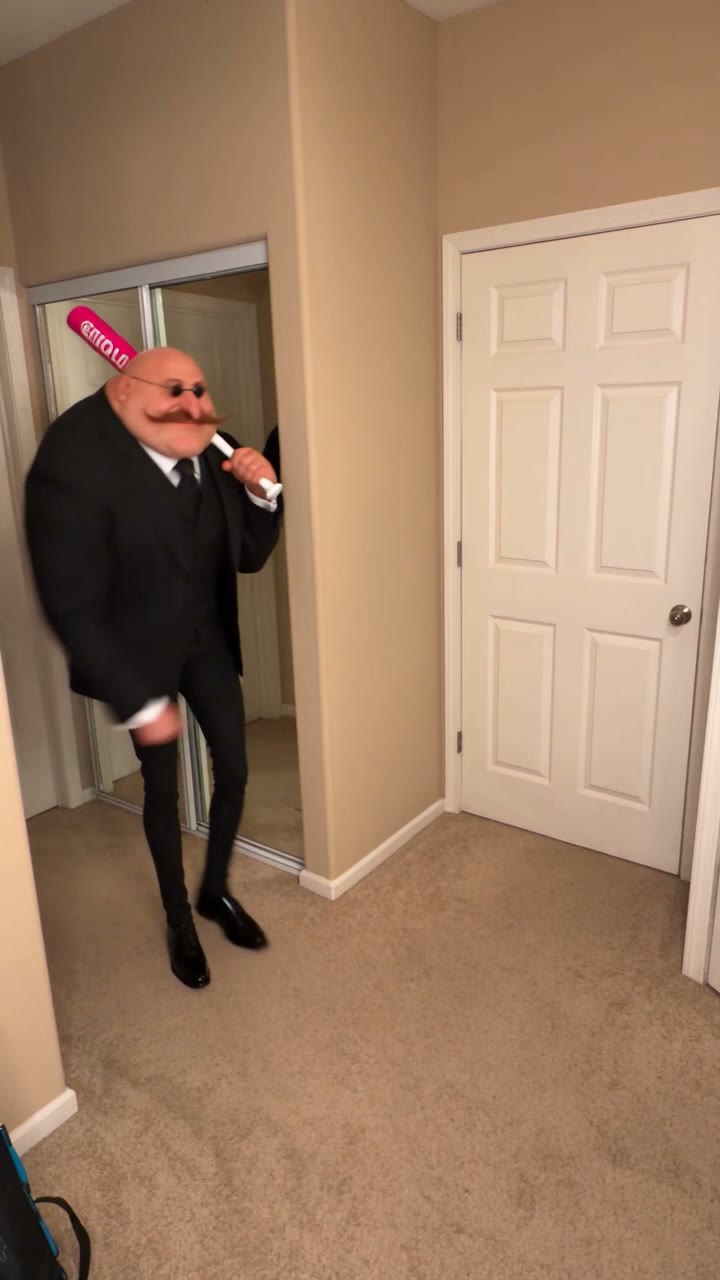
The supplied @kkubi99 post is followed by the @boby.biggsjohnson version. Both dates are inferred as November 2, 2026 from TikTok video IDs; publication metadata was not available during review. The screenshots show relative “1d ago” labels, so they do not independently confirm an exact date or time.

  1. @kkubi99: the supplied fancy cafe scene

    The caption reads “POV: Your first time in a fancy cafe.” The screenshot shows a verified account badge, a CapCut label and creator-labeled AI-generated content. Sound label: 오리지널 사운드 - 유백합. Screenshot snapshot: 337.4K likes, 1,772 comments and 11.2K saves.

    Read the source
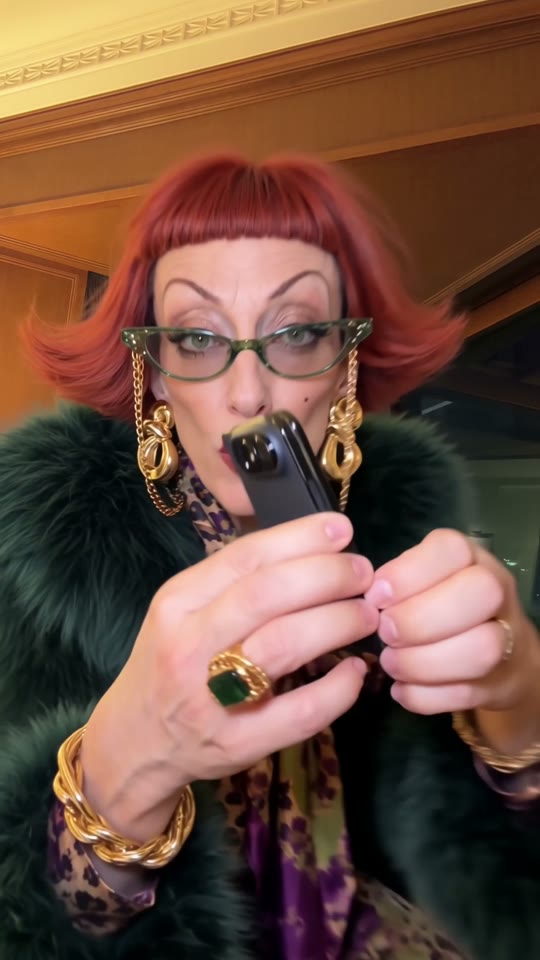
  2. @boby.biggsjohnson: a character-remix version

    The screenshot repeats the fancy cafe POV headline and shows a different male character in the opening seat pose. The caption includes #fy and the sound label is sonido original - Marina. Screenshot snapshot: 382.8K likes, 6,120 comments and 24.4K saves.

    Read the source

Likes, comments and saves are screenshot snapshots with unknown capture dates, not views or live totals. Video-ID dates are inferred, not verified createTime metadata. These posts do not establish the meme's original creator or total reach. The preview is the supplied reference video, not a generated customer example.

Frequently Asked Questions About Fancy Cafe AI Video Generation

What is Fancy Cafe AI?

Fancy Cafe AI recreates the “POV: Your first time in a fancy cafe” meme using two portrait photos. Photo 1 replaces the man and photo 2 replaces the woman in the built-in 21-second cafe scene, preserving the intended action order, setting and comic reveal.

Do I upload two photos or two videos?

Upload two portrait photos, not videos. Each JPG, PNG or WebP can be up to 10MB, with a 20MB combined limit. The source video is built in. The first photo maps to the man, and the second maps to the woman.

How does the first time fancy cafe meme work?

The man initially uses a small round metal surface as a seat. The woman arrives and sits behind the neighboring surface as a table. He notices, realizes the mistake and adjusts his position. The awkward reveal and reactions make the joke; this is a cafe skit rather than a dance.

How much does a fancy cafe AI video cost?

One 21-second video costs 100 credits at 720p or 200 credits at 1080p. Both options export a watermark-free vertical 9:16 MP4. These are generation costs in credits, not credit-pack prices.

Does Fancy Cafe AI keep the original audio?

The template requests source-audio preservation in Kling V4 edit mode. Preview the output before sharing because the generated result can vary. The two supplied posts display different original-sound labels; we do not identify a single confirmed song.

Is this a CapCut fancy cafe template?

This is VidTrend's independent Fancy Cafe AI template. The supplied @kkubi99 screenshot shows a CapCut label and an AI-generated-content label. Here you can replace both characters in your browser with two photos, without recording the skit or editing a CapCut timeline.

PRICING

Credits for your next video

480p: 50 credits · 720p: 100 · 1080p: 200. Availability varies by template.

Secure Checkout with Stripe
Instant Credit Delivery
100% Watermark-Free & Commercial
7-Day Refund Window
Auto-Refund on Failed Generations

One-time credit packs

100 Credits

USD 9.99

One-time payment

$0.10 / credit
  • ~2 480p videos
  • ~1 720p video
  • ~100 1K HD pictures
  • ~50 2K Ultra HD pictures
  • Credits never expire
  • Normal generation speed
  • In-app ticket support
🔥 MOST POPULAR · SAVE 20%

200 Credits

USD 19.99

One-time payment

$0.08 / credit · Save 20%
  • ~4 480p videos
  • ~2 720p videos
  • ~1 1080p video
  • ~200 1K HD pictures
  • ~100 2K Ultra HD pictures
  • Credits never expire
  • ⚡️ Priority rendering speed (Fast GPU queue)
  • ⚡ Direct email support
🚀 BEST VALUE · SAVE 35%

400 Credits

USD 34.99

One-time payment

$0.07 / credit · Save 35%
  • ~8 480p videos
  • ~4 720p videos
  • ~2 1080p videos
  • ~400 1K HD pictures
  • ~200 2K Ultra HD pictures
  • Credits never expire
  • 🚀 Top-tier GPU rendering priority
  • 💎 Priority fast support
Studio & Creator Packs

Need more credits for multiple projects?

Instant delivery with maximum bulk volume discounts.

Subscriptions

Starter

$49.99/ month

Billed monthly

$0.06 / credit
  • 800 credits / month
  • ~16 480p videos
  • ~8 720p videos
  • ~4 1080p videos
  • ~800 1K HD pictures
  • ~400 2K Ultra HD pictures
  • Subscription credits used first
  • Normal generation speed
  • In-app ticket support
Recommended for creators

Pro

$89.99/ month

Billed monthly

$0.06 / credit · Save 10%
  • 1600 credits / month
  • ~32 480p videos
  • ~16 720p videos
  • ~8 1080p videos
  • ~1600 1K HD pictures
  • ~800 2K Ultra HD pictures
  • Subscription credits used first
  • ⚡️ Priority rendering speed (Fast GPU queue)
  • ⚡ Direct email support

Enterprise

$169.90/ month

Billed monthly

$0.05 / credit · Save 15%
  • 3200 credits / month
  • ~64 480p videos
  • ~32 720p videos
  • ~16 1080p videos
  • ~3200 1K HD pictures
  • ~1600 2K Ultra HD pictures
  • Subscription credits used first
  • 🚀 Top-tier GPU rendering priority
  • 💎 Priority fast support

Credits unlock monthly and expire at the next monthly anniversary. Subscriptions renew automatically; cancel renewal in Settings.

Standard, HD, or Full HD: what's the difference?

Choose the resolution that fits your channel. 720p is our recommended standard for vertical TikToks and Reels, while 1080p delivers crystal-clear definition for high-res projects.

OutputResolutionRecommended forCredits
Full video · Standard
480pFast previews, meme tests & lightweight sharing50 credits
Full video · HDRecommended
720pTikTok, Instagram Reels & YouTube Shorts (Recommended)100 credits
Full video · Full HD
1080pDesktop playback, brand ads & 4K upscaling200 credits
AI Photo & Picture · 1K HD1KUnblurring photos, avatar generation & sharp video inputs1 credit
AI Photo & Picture · 2K Ultra HD2KStudio portraits, high-res enhancement & viral dance prep2 credits

Viral Video Generator

Explore more viral AI video templates

Turn photos into viral TikTok dance videos and hilarious meme reactions with VidTrend's pre-choreographed motion transfer models — from single portraits to multi-person templates.